Last Updated on October 20, 2026
Multilingual SEO makes each language version of your site findable by the people who search in that language. It comes down to five things: a separate URL for every language, a URL structure that fits your markets, correct hreflang, content that is localized rather than just translated, and no automatic redirects that hide versions from Googlebot.
This guide covers each of those steps in the order you would do them, with code you can copy. Everything Google-specific is checked against Google Search Central’s guide to multi-regional and multilingual sites and its hreflang documentation as of October 2026.
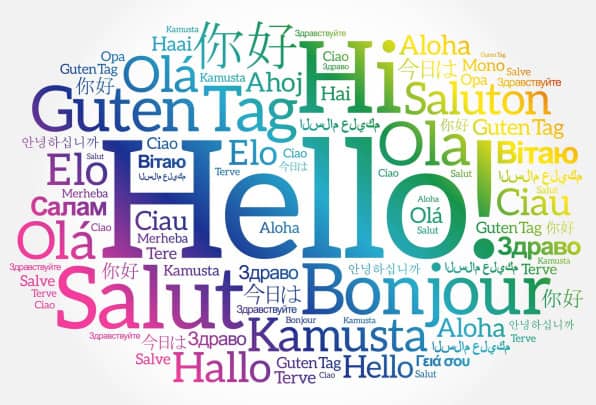
What is multilingual SEO, and how is it different from international SEO?
Multilingual SEO targets languages: a Spanish version for Spanish speakers, wherever they live. Multi-regional (international) SEO targets countries: a site for Mexico and a separate one for Spain, even if both are in Spanish. Google treats these as two related problems and covers both in the same documentation.
Most sites need a mix. A US software company might publish in English, German and Japanese (language targeting) and later split English into en-US and en-GB because pricing and spelling differ (region targeting). Decide which you need before you build anything, because it drives your URL structure and your hreflang values.
- Language only (hreflang=”de”): same offer everywhere, content differs only by language.
- Language plus region (hreflang=”de-AT”): prices, currency, shipping, legal terms or product range differ by country.
How does Google know what language a page is in?
Google reads the visible text. Its multilingual guide says Google uses “the visible content of your page to determine its language” and does not use code-level signals such as the lang attribute or the URL. Two practical consequences follow:
- Use one language per page. Google recommends against side-by-side translations on the same page.
- Translate the main content, not just the template. A page with German menus and English body text is an English page with a German header, and Google warns this creates a poor experience.
Keep setting <html lang="de"> anyway. Google may not use it for ranking, but screen readers and browsers do, and it is part of WCAG’s “Language of Page” requirement.
Google also ignores locational meta tags such as geo.position and distribution, so there is no point adding them.
Which URL structure is best for a multilingual site?
Every language version needs its own URL. Google advises against using cookies or browser settings to switch the language on a single URL, because Googlebot will only ever see one version. The real choice is between four structures:
| Structure | Example | Advantages | Drawbacks | Good fit for |
|---|---|---|---|---|
| Country-code domain (ccTLD) | example.de | Clearest country signal; server location does not matter; easy to separate sites | Expensive; some ccTLDs have residency rules or are unavailable; targets one country, not a language; each domain builds authority separately | Large brands with local teams per country |
| Subdomain | de.example.com | Easy to set up; can host in different locations; easy to separate | Users may not know whether “de” means language or country; more properties to monitor | Sites where each language runs on separate infrastructure or a separate CMS |
| Subdirectory | example.com/de/ | Easy to set up; low maintenance; shares one domain’s authority; one site to crawl and monitor | Single server location; harder to split off later; region not obvious to users | Most businesses, and almost every site starting its first translation |
| URL parameter | example.com/?lang=de | None worth having | Not recommended by Google; hard to segment in reports; easy to break with canonical and caching rules | Avoid |
Our default recommendation is subdirectories (/de/, /fr/, /es-mx/). They are the cheapest to run, every language benefits from the links the main domain already has, and Search Console can report on each folder. Choose ccTLDs when you have a genuine country-level business with its own team, budget and link building in each market.
If you are migrating an existing site to a new structure, treat it as a site migration: 301 every old URL to its new equivalent and update internal links and sitemaps. The structure matters less than not losing the URLs you already rank with.
How do you set up hreflang correctly?
hreflang tells Google which URLs are translations or regional variants of each other, so it can show the right one to each searcher. It does not make a page rank higher; it swaps in the correct version where you already rank. Google accepts it in three places and says “the three methods are equivalent from Google’s perspective”. Pick one and use it consistently.
Method 1: link elements in the HTML head
Put the full set on every version of the page, including a reference to the page itself. The block is identical on each version:
<head>
  <link rel="alternate" hreflang="en" href="https://www.example.com/pricing/" />
  <link rel="alternate" hreflang="de" href="https://www.example.com/de/preise/" />
  <link rel="alternate" hreflang="es-MX" href="https://www.example.com/es-mx/precios/" />
  <link rel="alternate" hreflang="es-ES" href="https://www.example.com/es-es/precios/" />
  <link rel="alternate" hreflang="x-default" href="https://www.example.com/pricing/" />
</head>
The tags must sit inside a well-formed <head>. If a script or invalid element earlier in the page closes the head early, Google may never see them, so check the rendered HTML, not just your template.
Method 2: XML sitemap
Better for large sites, because you do not add markup to every page. Each <url> lists all variants, including itself:
<?xml version="1.0" encoding="UTF-8"?>
<urlset xmlns="http://www.sitemaps.org/schemas/sitemap/0.9"
        xmlns:xhtml="http://www.w3.org/1999/xhtml">
  <url>
    <loc>https://www.example.com/pricing/</loc>
    <xhtml:link rel="alternate" hreflang="en" href="https://www.example.com/pricing/" />
    <xhtml:link rel="alternate" hreflang="de" href="https://www.example.com/de/preise/" />
    <xhtml:link rel="alternate" hreflang="x-default" href="https://www.example.com/pricing/" />
  </url>
  <url>
    <loc>https://www.example.com/de/preise/</loc>
    <xhtml:link rel="alternate" hreflang="en" href="https://www.example.com/pricing/" />
    <xhtml:link rel="alternate" hreflang="de" href="https://www.example.com/de/preise/" />
    <xhtml:link rel="alternate" hreflang="x-default" href="https://www.example.com/pricing/" />
  </url>
</urlset>
Method 3: HTTP Link header
Use this for non-HTML files such as PDFs, which have no head section. The header lists every version, including the requested one, and is the same on each:
Link: <https://www.example.com/guide.pdf>; rel="alternate"; hreflang="en",
      <https://www.example.com/de/leitfaden.pdf>; rel="alternate"; hreflang="de",
      <https://www.example.com/guide.pdf>; rel="alternate"; hreflang="x-default"
What is x-default?
x-default is the fallback for searchers whose language or region matches none of your versions. Point it at a language selector page or at the version you want everyone else to see, usually English. It is optional, but we add it to every set because it costs nothing and removes guesswork.
Which language and region codes are valid?
- Language: ISO 639-1 two-letter code, such as
en,de,ja. A language on its own is valid. - Region: ISO 3166-1 Alpha 2 code added after a dash, such as
en-GBorde-CH. A region on its own is not valid. - Script: use ISO 15924 where needed, for example
zh-Hans(Simplified) andzh-Hant(Traditional). - Codes are case-insensitive.
What are the most common hreflang mistakes?
- Missing return links. If page A lists page B but B does not list A, Google ignores the pair. This is the most common failure, usually because one language was added later or one template was missed.
- Relative URLs. Alternate URLs must be fully qualified, including
https://./de/preise/is wrong. - Invalid codes.
UKis not a region code (useGB).EUandUNare ignored.bemeans Belarusian, not Belgium.es-419(Latin American Spanish) is not supported. - Region without language.
hreflang="us"is invalid; it must been-US. - Combining attributes in one tag. Google’s docs say not to combine hreflang with other attributes such as
mediain a single link element. - Pointing at URLs that are not the final version. In our audits, hreflang sets that reference redirected, noindexed or non-canonical URLs are a frequent reason annotations do nothing. Every URL in the set should return 200, be indexable and carry a self-referencing canonical.
- Using all three methods at once. Google says this adds work without any search benefit, and the copies tend to drift apart.
Search Console’s International Targeting report, which used to list hreflang errors, was deprecated in 2022; Google says it still supports and uses hreflang. Today you check hreflang with a crawler that validates return links and codes, and with Search Console’s URL Inspection tool for individual pages.
Are translated pages duplicate content?
No, as long as the main content is actually translated. Google’s hreflang documentation says localized versions “are only considered duplicates if the main content of the page remains untranslated.” Give each language version a self-referencing canonical. Do not canonicalize the German page to the English one, or you are telling Google to drop the German page.
Same-language regional pages (en-US and en-GB with nearly identical text) are a different case. Google may treat them as duplicates and choose one canonical. hreflang still helps Google show the right URL, but the more the pages genuinely differ (currency, prices, shipping, spelling, contact details), the safer you are.
Why shouldn’t you redirect visitors by IP address or browser language?
Because Googlebot may never see your other versions. Google’s documentation on locale-adaptive pages notes that Googlebot’s default crawler IP addresses appear to be in the USA (it also crawls from some other locations) and that it sends requests without an Accept-Language header. If your server sends every US IP to the English site, or every request without a language preference to a default, the other languages can become unreachable for crawling.
Google’s advice is to avoid automatic redirects between language versions and to use separate URLs annotated with hreflang. What to do instead:
- Add a visible language switcher on every page, built from plain
<a href>links to the equivalent page in each language (not to each homepage). - If you want to suggest a version, show a dismissible banner (“This page is available in Deutsch”) rather than redirecting.
- Remember the visitor’s choice in a cookie for their next visit, but never make a URL serve different languages depending on that cookie.
Translated vs localized content: what does Google allow?
Translation converts words. Localization adapts the page to the market: currency, units, date formats, payment methods, legal requirements, examples, and the terms people actually search. A localized page earns the click; a word-for-word translation often uses vocabulary nobody types into Google.
Can you use machine translation or AI translation?
Yes, but quality is what counts. In June 2025 Google removed the section of its multilingual documentation that suggested blocking automatically translated pages with robots.txt, explaining that the change aligns the docs with its March 2024 spam policy update. Google described it as a documentation change with no change in behavior.
The limit sits in Google’s spam policies. Scaled content abuse includes generating many pages “through automated transformations like synonymizing, translating, or other obfuscation techniques” where little value is provided to users. Google’s guidance on generative AI content adds that AI output should be fact-checked and reviewed before publishing.
Our working rule: machine translation is a fine first draft. Before a page goes live, a fluent speaker of the target language reviews it, fixes terminology, and rewrites titles, meta descriptions and headings around the keywords people in that market use. Translating 5,000 thin pages into ten languages overnight is exactly the pattern the spam policy describes.
How do you do keyword research for each language?
Research every language from scratch instead of translating your English keyword list. Direct translations miss how people search: the term may be borrowed from English, split across several local words, or differ by country within the same language. Spanish speakers in Mexico and Spain often use different words for the same product.
- Set the tool to the target language and location. Google Ads Keyword Planner has separate language and location filters for this.
- Seed it with terms a native speaker would use, not your translated English terms.
- Check the live search results in that language. Look at what ranks, the page types, and the vocabulary in competing titles.
- Map one primary keyword to each localized URL, just as you do for English, and write the title, meta description, H1 and URL slug around it.
- Translate slugs where it helps users (
/de/preise/rather than/de/pricing/), and keep them stable once published.
Which local signals help a page rank in a specific country?
Beyond hreflang and ccTLDs, Google lists other signals it uses to understand which country a site serves: local addresses and phone numbers on the page, the use of local language and currency, links from local sites, and Google Business Profile data. Server location is a signal, but Google says it is not a definitive one, so you do not need to host in each country.
For each market you take seriously:
- Show prices in local currency and local contact details where you have them.
- Earn links and mentions from sites in that country and language. Links to your English pages do little for your Japanese ones.
- If you have physical locations, keep a Business Profile for each, in the local language. Our local SEO service covers this for multi-location businesses.
What technical checks should a multilingual site pass?
- Every language version is reachable through crawlable links, not only through a JavaScript dropdown or a form.
- No robots.txt rule or noindex accidentally blocks a language folder. (See our guide to common robots.txt issues.)
- Each version has a self-referencing canonical, returns 200 and is listed in the XML sitemap.
- hreflang sets are complete and reciprocal, use absolute URLs and valid codes.
- Internal links within a language point to pages in that language.
- Titles, meta descriptions, image alt text and structured data are translated, not left in English.
- Search Console performance is reviewed per language folder and per country, so you can see whether each version is getting impressions where it should.
A full crawl catches most of these at once. If you would rather have someone else run it, our SEO audit includes hreflang, canonical and indexability checks for every language version.
Multilingual SEO checklist
- Decide whether you are targeting languages, countries or both.
- Choose one URL structure (subdirectories for most sites) and give every language its own URL.
- Research keywords natively in each language and market.
- Localize the main content, titles, descriptions, slugs and structured data; have a fluent speaker review any machine translation.
- Keep one language per page and translate the template as well as the body.
- Add complete, reciprocal hreflang with absolute URLs, valid codes and an x-default, using one method.
- Give each version a self-referencing canonical; do not canonicalize across languages.
- Remove automatic IP or Accept-Language redirects; add a link-based language switcher.
- Build local signals: currency, contact details, local links, Business Profile where relevant.
- Crawl the site, validate hreflang, and track each language in Search Console.
FAQ
Do I need hreflang if my site only has two languages?
It is still worth adding. Google can often work out the language from the text, but hreflang removes doubt about which URL to show, especially where versions share brand names or product terms. With two languages it is a few lines per page, or a short sitemap entry. Include both versions, return links and an x-default.
Does Google use the HTML lang attribute to detect language?
No. Google says it detects language from the visible content of the page and does not use code-level information such as the lang attribute or the URL. Set the lang attribute anyway, because screen readers and browsers rely on it and accessibility standards require it.
Is machine-translated content against Google’s guidelines?
Not in itself. Google removed its old advice to block auto-translated pages in June 2025. What its spam policies target is mass-producing pages through automated translation that add little value for users. Have a fluent speaker review and edit translations, and localize keywords, before publishing.
Should I use a subdirectory or a ccTLD for each language?
For most businesses, subdirectories such as example.com/de/ are the better choice: one domain to maintain, shared authority, and easy reporting. A ccTLD sends the clearest country signal but costs more and must build its own links. Choose ccTLDs only when you run a distinct business with its own team in each country.
Can hreflang fix a translated page that does not rank?
No. hreflang only helps Google swap in the correct language or regional URL where your site already ranks. If a translated page gets no impressions, look at content quality, keyword targeting in that language, indexability and local links. Our content writing team can help with the localized copy.
